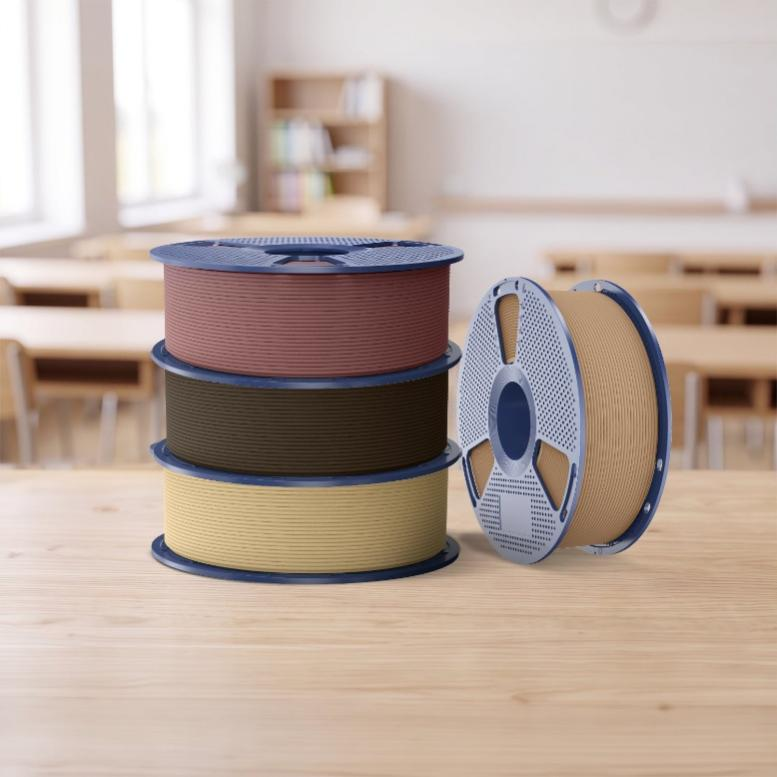
Wood PLA can clog a nozzle more readily than conventional PLA because it contains wood particles mixed into the polymer. The risk increases when the nozzle opening is too small, the material is pushed too quickly, or the particles are exposed to excessive heat and begin to carbonize. The practical response is to choose an appropriate nozzle, stay within the filament’s recommended temperature range, control print speed, keep the material dry, and clean the hotend when changing materials. SUNLU’s current Optimized Wood PLA contains 15% real wood powder, so these factors deserve attention.
| Factor | Why it matters | Practical action |
| Wood particles | Reduce clearance inside a small nozzle | Consider a 0.5–0.6 mm nozzle |
| Excessive heat | Can carbonize wood particles | Use the documented temperature range |
| High speed | Raises flow demand | Match speed to temperature |
| Moisture | Can disturb extrusion consistency | Use sealed storage with desiccant |
Why PLA Filaments With Wood Particles Behave Differently
Regular PLA has a relatively uniform polymer structure. Wood PLA adds wood powder to create a wood-like appearance and texture. SUNLU states that its Optimized Wood PLA contains 15% real wood powder. The added particles change how material passes through the hotend compared with standard PLA.
Nozzle geometry therefore matters. The particles must pass through the same opening as the softened polymer, so less clearance increases the chance of restriction. Prusa’s guidance for wood- or metal-filled composites recommends, in general, a minimum 0.6 mm nozzle and 0.2 mm layer height for materials with larger particles to reduce clogging.
For this reason, a 3D filament spool used for ordinary PLA printing should not automatically use the same nozzle and profile when it contains wood particles. The material instructions and printer limitations should be considered together.
Temperature Can Cause Problems in Two Directions
Too little heat can make extrusion difficult, particularly when printing quickly. SUNLU’s wood PLA guide lists low temperature or excessive printing speed among possible causes of nozzle clogging and suggests increasing temperature by 5–10°C or slowing down when appropriate.
Too much heat creates a different problem. SUNLU notes that high nozzle temperatures may carbonize the wood particles, which can contribute to blockage. Raising the temperature repeatedly is therefore not a universal fix.
SUNLU’s current Optimized Wood PLA product page gives these temperature-and-speed combinations:
| Nozzle temperature | Printing speed |
| 195–205°C | 50–100 mm/s |
| 205–215°C | 100–150 mm/s |
| 215–260°C | 150–400 mm/s |
The same page lists a 50–60°C bed temperature, drying at 65°C for 1–4 hours in a blast drying oven, and a filament diameter of 1.75 ±0.02 mm. Actual settings depend on the printer, hotend, nozzle, model, and extrusion system.
Choose the Nozzle Before Printing
Nozzle selection should be part of material setup. SUNLU’s wood PLA guide recommends a 0.5 mm or 0.6 mm nozzle and notes that a 0.4 mm nozzle may still be used with greater care.
Prusa recommends a nozzle of at least 0.6 mm for many wood-filled composites with larger particles. However, nozzle requirements vary by filament formulation, so check the material manufacturer’s guidance before changing nozzle size. A larger nozzle may reduce clogging risk, while a smaller nozzle may be suitable for some formulations when finer details are required.
Keep the Filament Dry and the Nozzle Clean
Moisture is not the source of the wood particles, but wet filament can make extrusion less stable. SUNLU’s Optimized Wood PLA product page recommends keeping the filament in a sealed container with desiccant at below 20% RH. It also lists a drying setting of 65°C for 1–4 hours. Follow the product guidance and consider the capabilities of the drying equipment being used.
A PLA spool exposed to humid air should be checked before a long print. Popping or sizzling during extrusion, inconsistent flow, or rough surfaces can indicate moisture-related problems.
Nozzle cleanliness matters as well. Residue from another material can remain in the melt zone and reduce the available flow passage. Prusa recommends cleaning the nozzle before composite-material printing and notes that a cold pull can help remove residue.
What to Do When a Clog Starts
When extrusion becomes uneven, stop the print and check the nozzle temperature, speed, filament condition, and nozzle size first.
| Symptom | Possible cause | First check |
| Little or no extrusion | Partial or full clog | Inspect and clean nozzle |
| Popping or sizzling | Moisture | Dry filament |
| Flow stops at higher speed | Flow demand too high | Reduce speed |
| Dark residue or repeated blockage | Excessive heat or contamination | Check temperature and clean hotend |
| Repeated clogging with 0.4 mm nozzle | Limited particle clearance | Test a larger nozzle |
This sequence can help distinguish a material-flow problem from mechanical issues such as an obstructed heatbreak, incorrect extruder tension, or a damaged nozzle.
Food Safety, Recycling, and Storage Life
SUNLU cautions against using its PLA to print tableware because colorants are added during production and printed parts may also be contaminated by the printer nozzle. Do not assume that Wood PLA or a finished 3D-printed object is suitable for direct food contact without verifying the material, printing process, and applicable safety requirements.
The appropriate disposal or recycling route for Wood PLA depends on the material composition and the facilities available locally. Check local waste-management guidance before placing failed prints, supports, or other scraps in a recycling bin.
For storage, follow the filament manufacturer’s guidance and keep the spool sealed in a cool, dry environment with desiccant. Storage life and print performance depend on moisture exposure and storage conditions, so inspect the filament and assess its performance before use rather than relying on a universal shelf-life estimate.
The official SUNLU Wood PLA information provides the composition, temperature, speed, nozzle, drying, and storage recommendations needed to establish a starting print profile.
The main controls are straightforward: provide enough nozzle clearance for the particles, match speed to temperature, avoid overheating, keep the filament dry, and remove residue from the extrusion path. These steps can reduce avoidable blockages while preserving the wood-like surface characteristics of the material.
