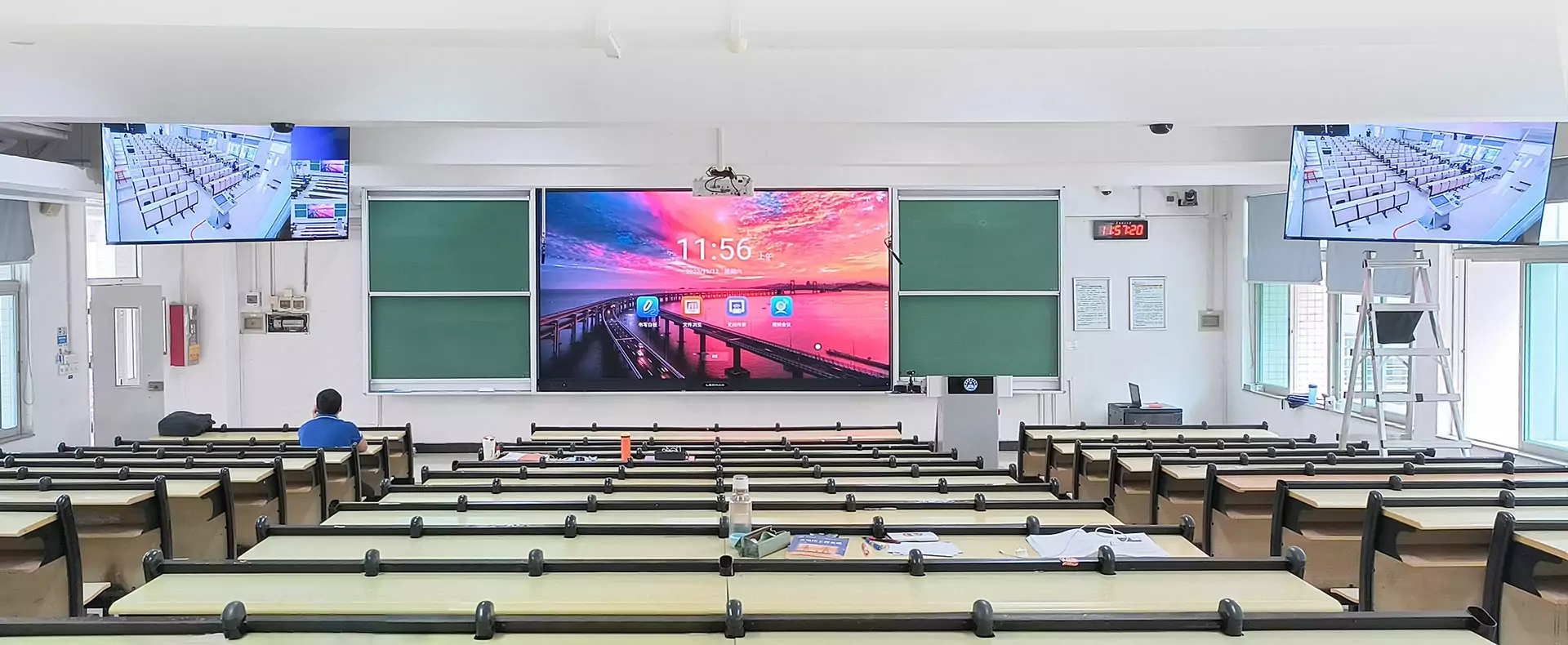
School technology upgrades become much easier to manage when installation is treated as a timetable project rather than simply a hardware replacement. Before choosing an interactive board for teaching, administrators should consider lesson schedules, classroom availability, network access, cable routes, and staff training. Ledman provides interactive education display solutions designed for classroom use, with an emphasis on engagement, collaboration, and content presentation.
Plan Installation Around The Academic Calendar
Timing should follow the rhythm of the school rather than the convenience of the installation team. Semester breaks, teacher preparation days, weekends, and examination periods can provide useful windows for equipment work without taking classrooms away from regular lessons.
Schools with many rooms can divide installation into manageable phases. Several classrooms may be upgraded during one period, followed by inspection and staff handover before the next group begins. This approach makes it easier to identify technical issues without affecting the entire teaching schedule.
Room priority can also be based on curriculum needs. Spaces used for digital-heavy subjects or shared teaching sessions may receive equipment earlier, while rooms with less immediate demand can be scheduled later.
Prepare Rooms Before Technicians Arrive
Site preparation can significantly shorten installation time. Furniture should be moved away from the working area, existing displays should be documented, and wall conditions should be checked before equipment arrives.
Power sockets and network connections deserve particular attention. Older classrooms may require additional electrical work or new data points, which can extend the installation window. Identifying these requirements beforehand prevents unexpected construction during teaching hours.
Existing classroom display boards should also be reviewed before removal. Cables, brackets, control devices, and connected peripherals may need to be reused, replaced, or relocated. Recording the current setup gives technicians a clearer reference and helps schools avoid unnecessary disruption.
Manage Cables And Connectivity Carefully
Cable management affects both classroom safety and everyday usability. Power, network, audio, and peripheral connections should follow planned routes rather than crossing walkways or creating loose sections around teaching areas.
Wall-mounted systems often require cable paths to be considered alongside furniture placement. Concealed routing can provide a cleaner installation, while accessible service points make future maintenance more practical. The chosen method should balance appearance, safety, and technician access.
Network preparation should happen before the display is commissioned. Wireless credentials, wired connections, device permissions, and required educational platforms can be checked in advance so that installation does not become a separate IT project after the screen is mounted.
Keep Classroom Downtime Under Control
A phased installation schedule helps schools maintain normal teaching operations. Instead of removing every existing display simultaneously, technicians can work room by room, returning each classroom to service after basic testing.
Testing should cover touch response, image output, audio, network connectivity, external devices, and commonly used teaching software. Problems discovered during this stage are easier to address while installation personnel are still present.
Teachers can also receive temporary alternatives if a classroom must remain unavailable for longer than planned. Shared rooms, portable equipment, or adjusted lesson locations can provide short-term flexibility while the installation progresses.
Build A Practical Staff Handover
Hardware installation does not mark the end of the project. Teachers need to understand everyday functions such as switching inputs, opening content, using interactive tools, adjusting audio, and connecting external devices.
Training should be short and task-focused. A teacher who can perform common classroom actions without technical assistance is less likely to lose valuable lesson time because of minor operational questions.
Documentation should accompany the handover. Quick-start instructions, troubleshooting steps, network information, and support contacts can be stored digitally and provided to relevant staff. Schools adopting an interactive board for teaching can then establish a consistent process rather than relying on informal demonstrations.
Check Performance Before Returning Rooms To Service
Final inspection should follow a repeatable checklist. Display quality, touch accuracy, speakers, connectivity, peripheral ports, mounting stability, and cable routing can all be reviewed before teachers resume normal use.
Classroom-specific testing is especially useful because each room may have different computers, network conditions, or teaching software. A system that works during installation may still require configuration adjustments once connected to the school’s actual devices.
Feedback from teachers can provide another layer of verification. Early users may identify practical issues involving screen height, viewing angles, interface settings, or classroom workflow that are difficult to detect during technical testing.
Conclusion
Smooth educational technology deployment depends on preparation as much as installation skill. Careful scheduling, advance room checks, sensible cable planning, phased deployment, and focused staff training can keep classroom downtime manageable. The same principles apply whether a school is upgrading one room or rolling out classroom display boards across an entire campus. With its interactive education display solutions, Ledman can be considered within a broader implementation plan that connects hardware, teaching requirements, and day-to-day classroom operations.
